Connecting the site and the office
IVOLOG
Site documentation
for construction companies
Record what happens on site with voice notes and photos. IVOLOG transcribes and organises each report as a project-linked case for site managers and office staff.
Speak instead of typing · Optional photo · Project-based cases
No credit card · Runs in the browser
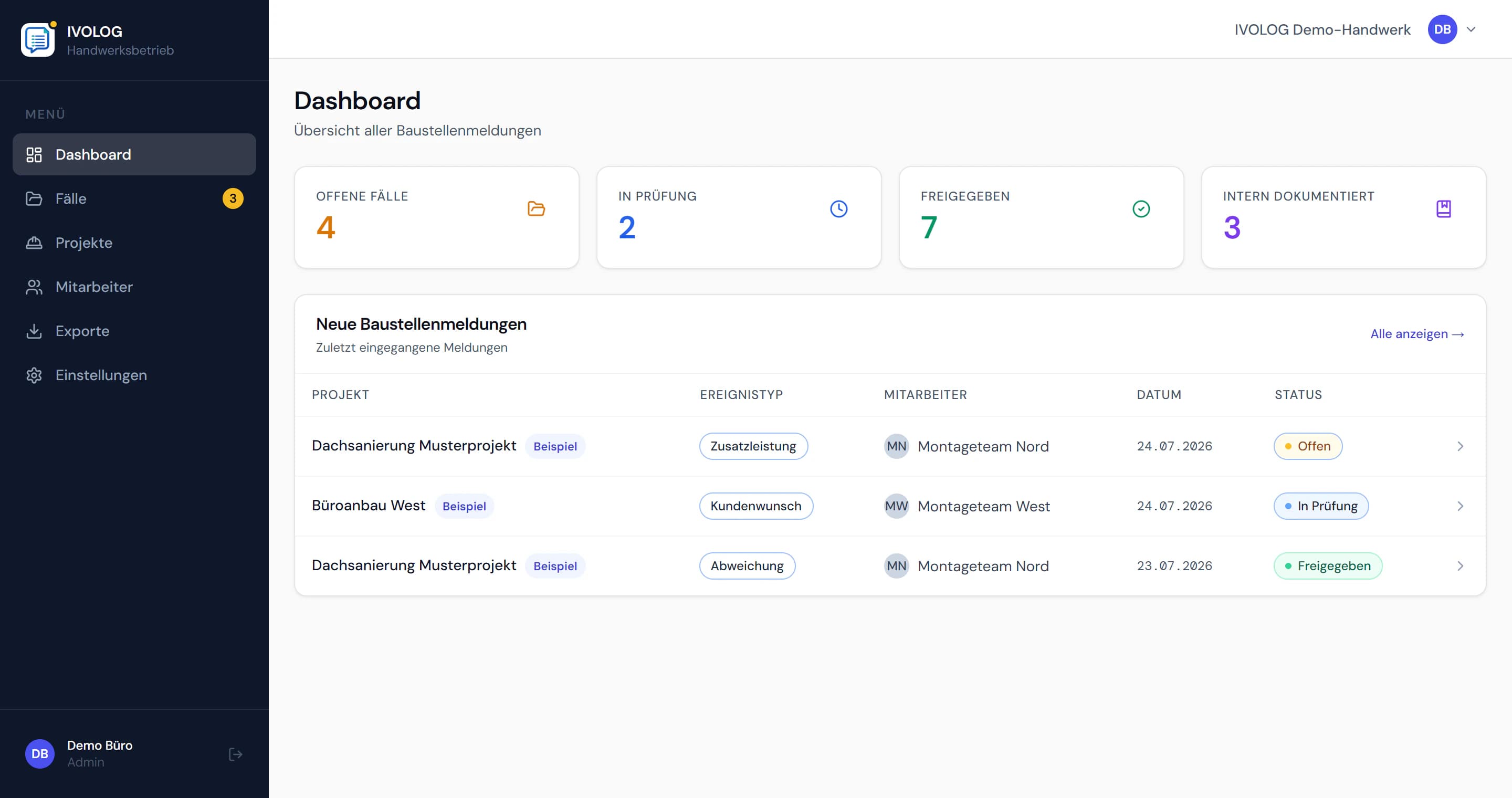
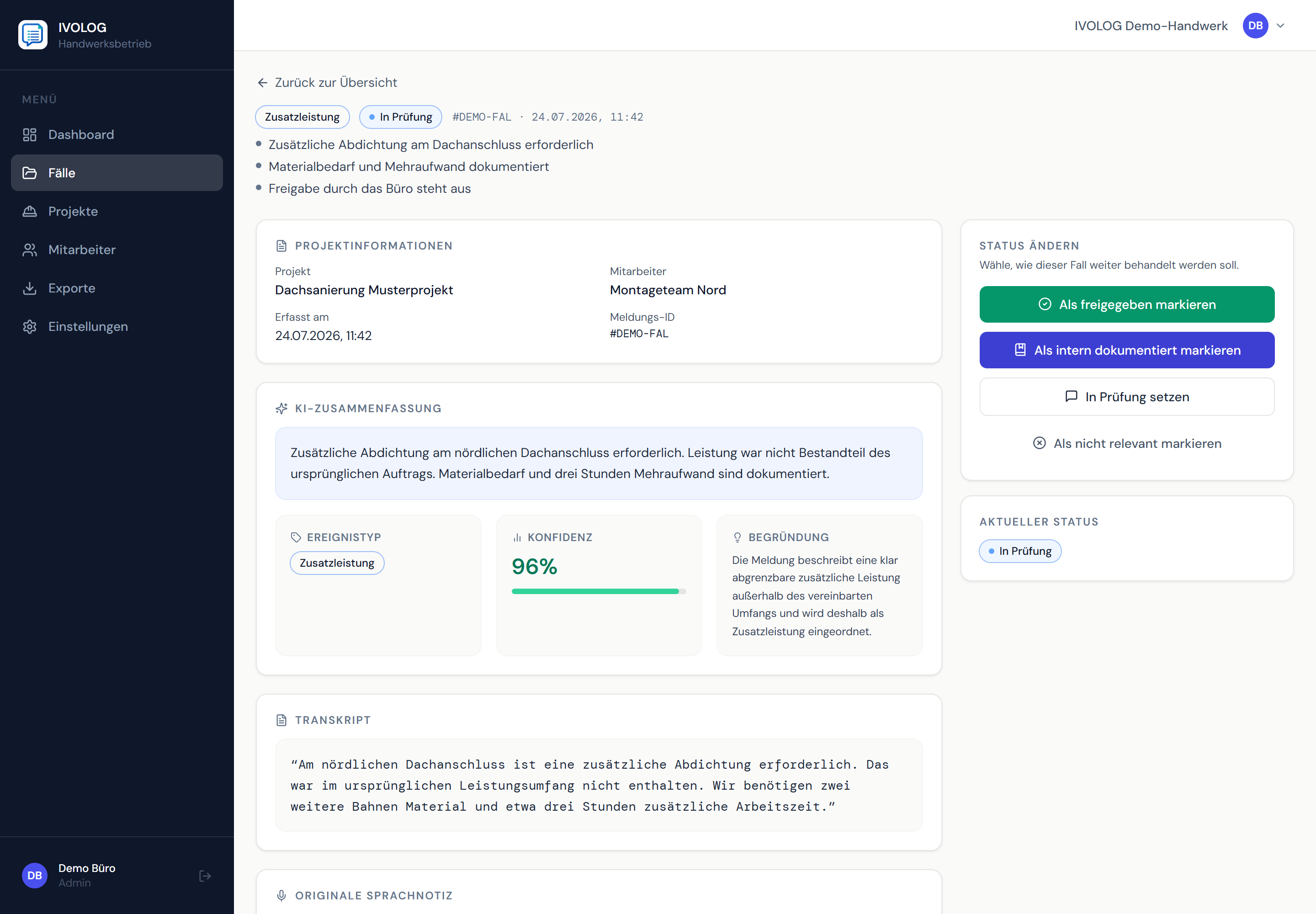
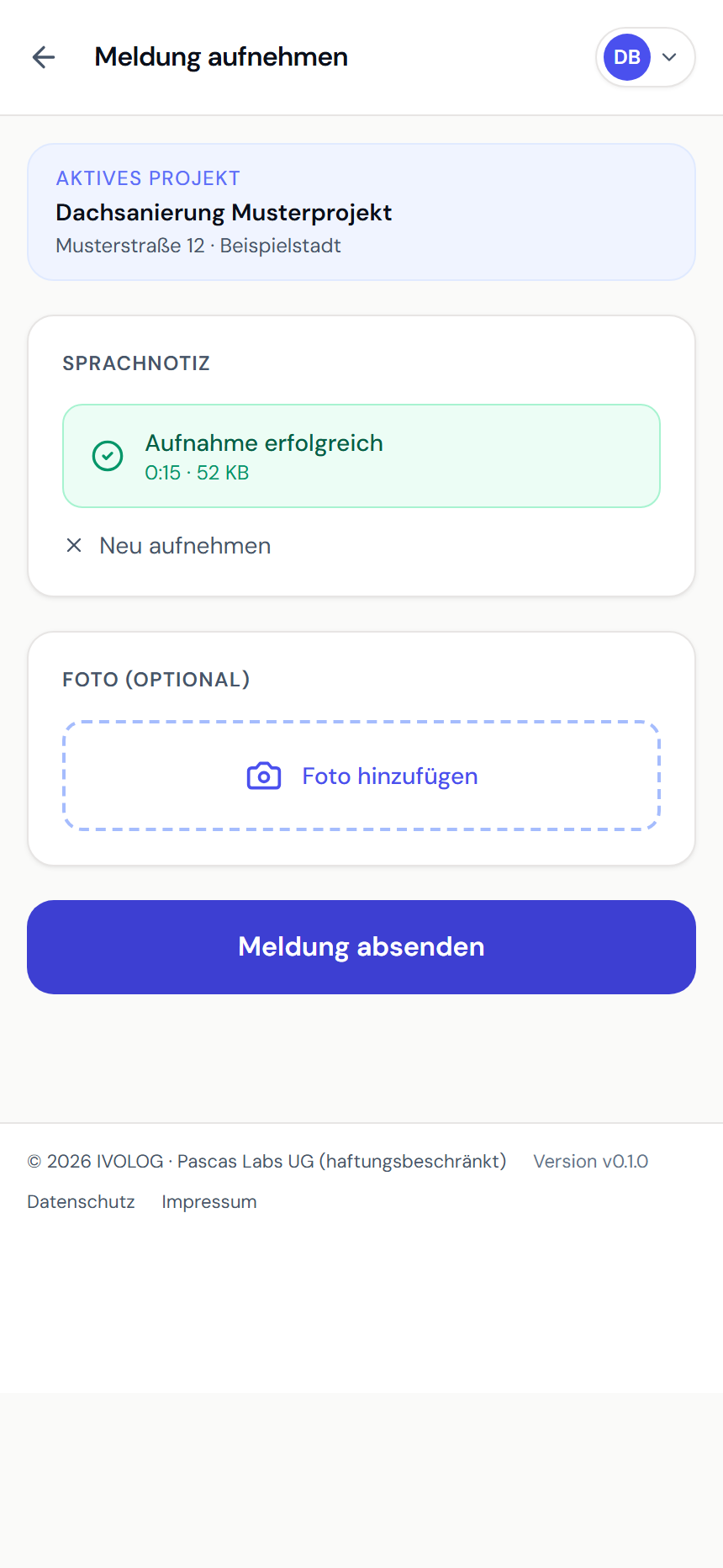
Example views with demo data. Product screenshots show the German interface.
Customer request · Additional work · Deviation · Construction progress · Defect
01 — What gets recorded
Record site observations while the details are fresh.
Do not wait until you are back at your desk in the evening: assign the information to the right project while the context and details are still fresh.
Customer requests and additional work
Assign changes discussed on site, extra effort and information for later variations directly to the project.
Deviations and defects
Record observations before details are lost in day-to-day work or during the handover to the office.
Construction progress and photos
A photo can be added to a report, keeping the description and the visible state of the site together.
Documentation and exports
Filter structured cases and use the existing PDF and CSV exports to make them available for further office workflows.
02 — How capture works
From voice note to structured project record.
A clear handover from site to office: each report becomes a case linked to the project, ready for review and further processing.
Speak on site
Select a project, record a voice note and add a photo if needed.
AI adds structure
IVOLOG transcribes the report, summarises it and assigns it an event type.
Review the case in the office
Site managers and office staff see the report as a case in the dashboard and can update its status.
Pass on the right information
Find cases by project and export them as PDF or CSV for your existing office workflows.
03 — Who it is for
Connect site teams, managers and office staff.
- Site management
- Project management
- Site foremen / supervisors
- On-site trades
A shared flow of information
The on-site team reports what happens. Project management and the office receive a structured case, check its content and continue working on it in their existing workflow.
04 — Trades
Site documentation for different trades
Customer requests, additional work and on-site problems differ between trades. The process of voice capture, structuring and handover stays the same.
05 — Frequently asked questions
Clear answers.
What can construction teams document with IVOLOG?
How do voice notes become construction site records?
Who in a construction company is IVOLOG for?
Does IVOLOG replace a site diary or daily construction report?
Which export formats are available?
Can reports be captured without an internet connection?
06 — Get started
Your next site report starts with a sentence.
IVOLOG brings it to the office in a structured form – together with the project, event type and optional photo.