Site reporting for Roofers
Storm damage on the roof –
a project-linked report for the office.
Your roofers record storm damage, measurement notes and deviations with voice notes on site. IVOLOG organises the report as a case linked to the roofing project for the office.
No credit card. No installation. Runs in the browser.
01 — An everyday example
From site report to project case
Report from the site
„A leak is visible on the north roof; a photo has been added and the project selected.“
Project-linked case in the office
Deviation: leak on the north roof
The case contains the report and photo for the project and can be reviewed in the office and output as PDF or CSV.
02 — Use cases
How roofing contractors use IVOLOG
Document storm damage and leaks
Record measurement notes and material changes
Report deviations from the specification
Record the condition of the roof structure before work starts
03 — Features
Site reporting features for roofing contractors
Voice notes from the roof
An observation or change can be recorded by voice directly against the project, with a photo added if needed.
AI structuring
IVOLOG transcribes the report and assigns it an event type for further processing.
A project-based overview
Site management and office staff can find the structured cases in the relevant project.
PDF and CSV export
Selected cases can be exported for documentation and further office workflows.
04 — Product view
How the report reaches the office
IVOLOG keeps each report linked to its project and presents it as a structured case for review and further processing.
Connect the site, site management and the office: Construction site documentation with IVOLOG
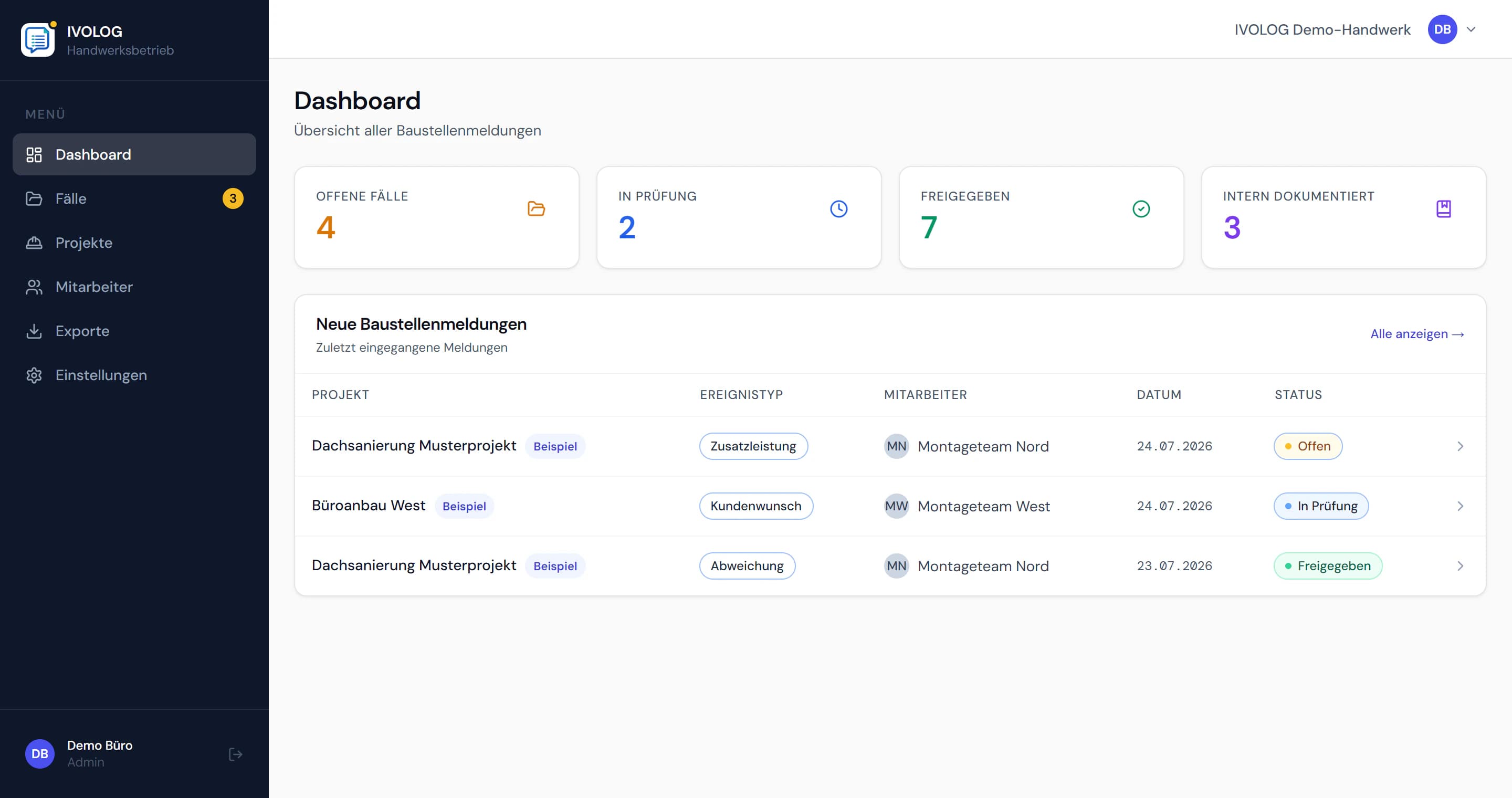
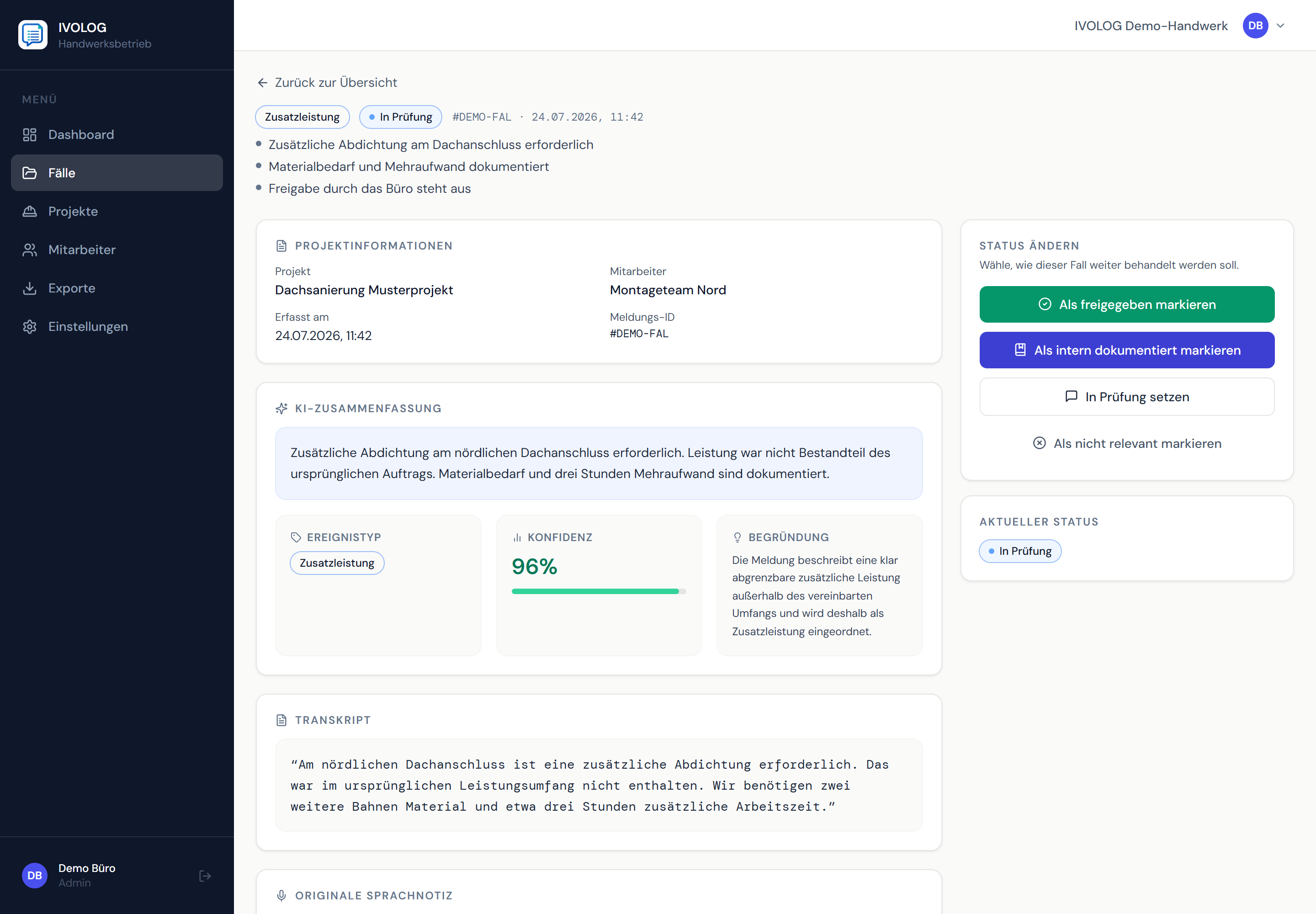
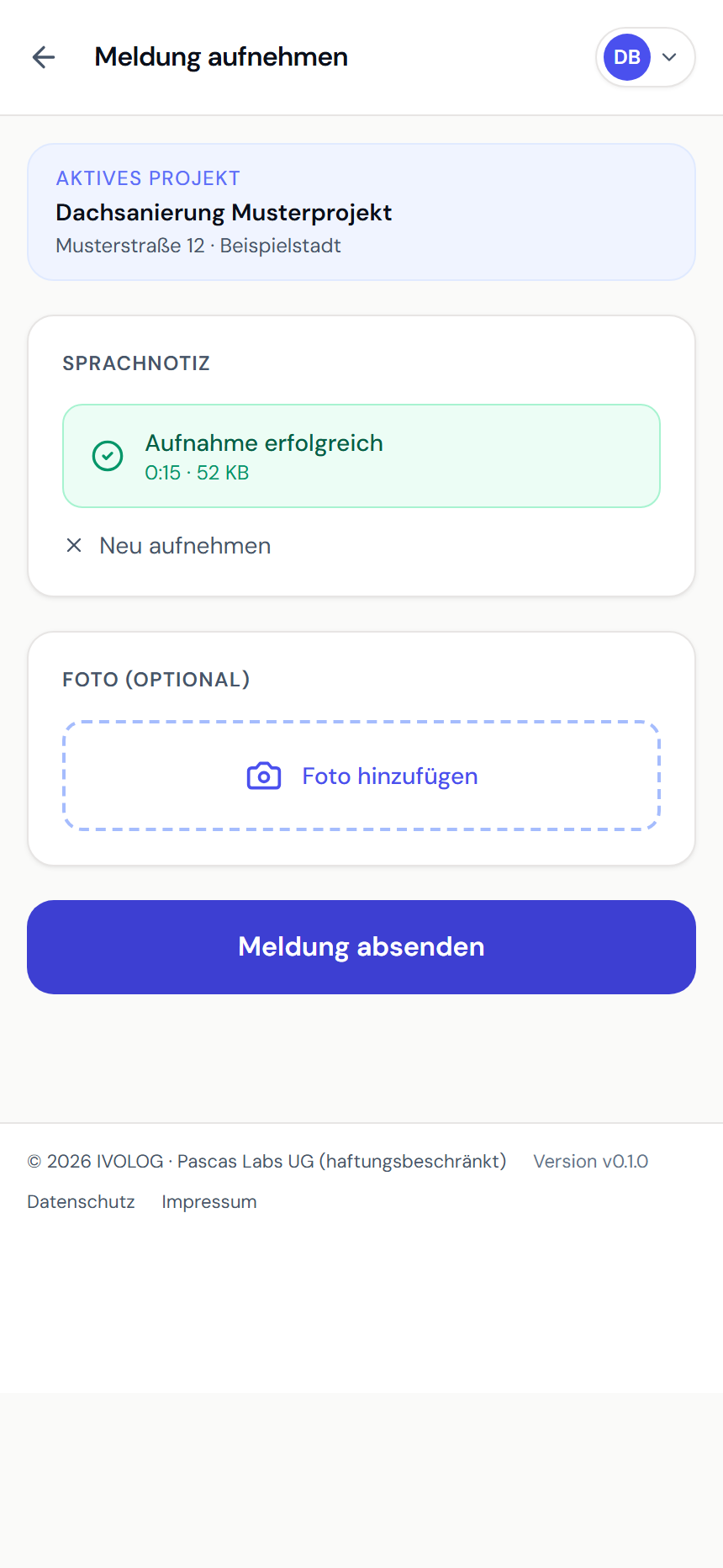
Example views with demo data. Product screenshots show the German interface.
05 — Frequently asked questions
Short answers
Does IVOLOG produce a damage assessment?
Can I add a photo to a roofing site report?
06 — Get started
Ready for digital site reports?
Start for free. No credit card. Create your first report directly in the browser.